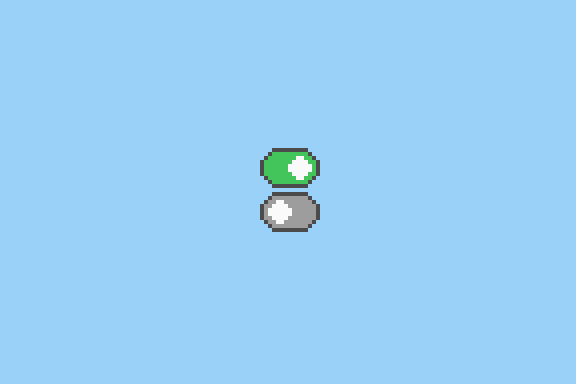
读了一些switch开关的代码,发现大家的代码差不多都是一个div套一个input后跟一个label,通过 input:checked 选择 label 改变后者的位置我也写了一个简化版的
主要代码
css部分
.switch {
	margin:10px auto;
	width:120px;
	height:40px;
	background-color: #abcdef;
}
.switch input {
	width: 0px;
	height: 0px;
	/*position:absolute;*/
	float: left;
	width: 100%;
	height: 100%;
	opacity: 0.3; /*使用的时候改为0以隐藏checkbox*/
}
.switch label {
	display: block;
	position:relative;
	width:40px;
	height:40px;
	background-color: #66aadd;
	left:0px;
	top:0px;
	transition-duration: .2s;
}
.switch input:checked ~ label {
	left:80px;
}
html部分
<div>
	<div class="switch">
 	<input type="checkbox" id="control">
		<label for="control" ></label>
</div>
<br />
<div> <!--再来一个-->
	<div class="switch">
 	<input type="checkbox" id="control">
		<label for="control" ></label>
</div>
<br />
<div> <!--再来一个-->
	<div class="switch">
 	<input type="checkbox" id="control">
		<label for="control" ></label>
</div>
截图
IE11
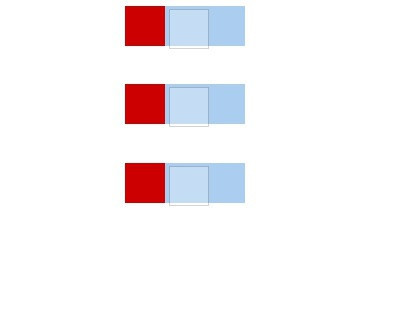
Firefox
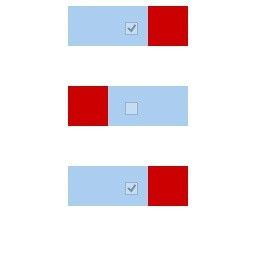
然后
- 不兼容早期版本的ie
- webkit内核浏览器好像需要需要加前缀-webkit-transition-duration: .2s