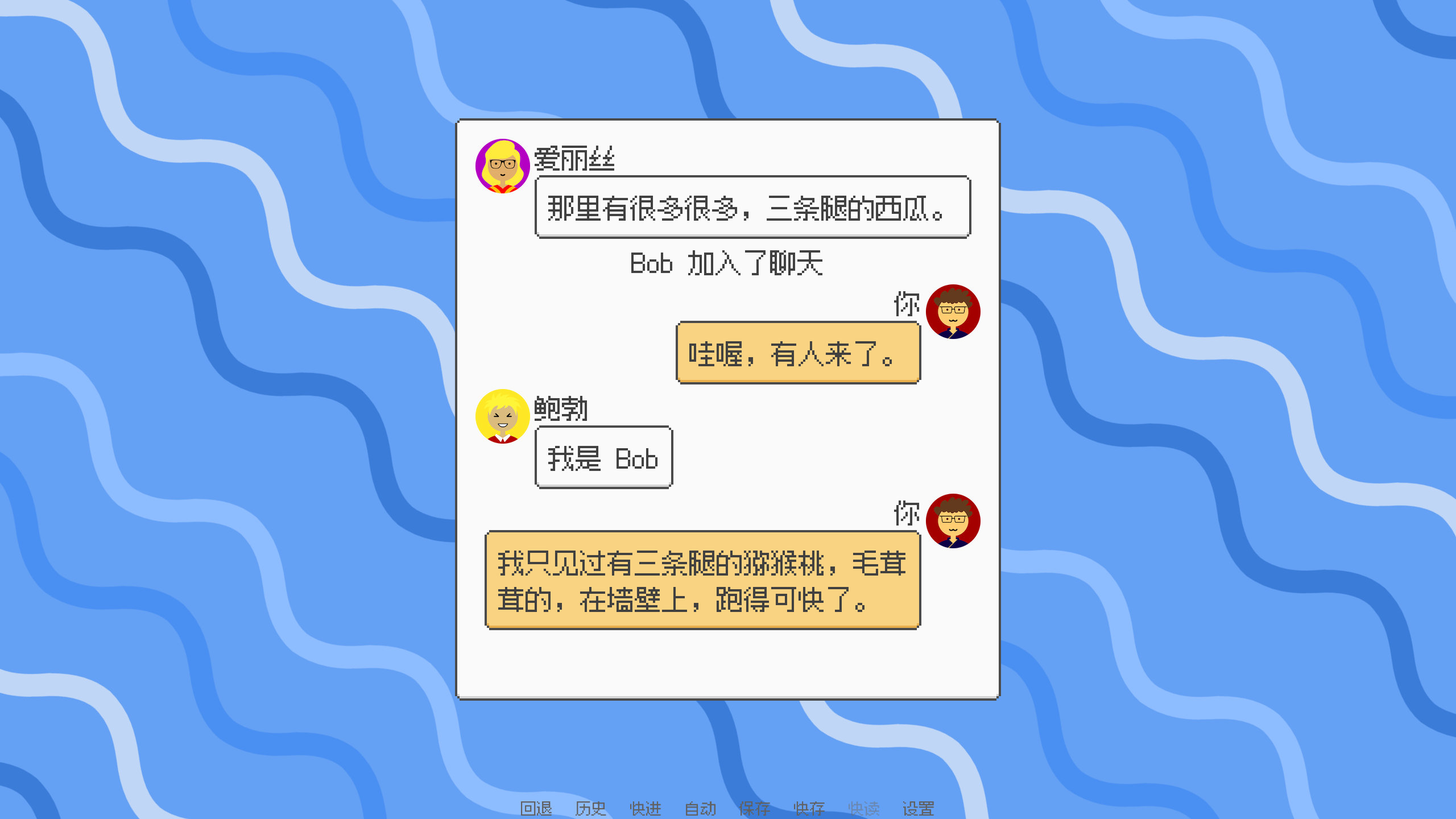
NVL mode
can show multiple lines of dialogue and narration at once, which looks like a good fit for making a chat window — and a lot of people do exactly that. The main work is modifying screen nvl and doing your own layout. But my version should be a bit more elegant.
Auto-configure Avatars for Characters
Ren’Py’s default ADV mode has a Side Image feature — just pass an image parameter to a Character and it automatically matches the avatar file. So can NVL mode work the same way?
Well, the answer is — nope, not really. If a Character’s kind is nvl and you pass an image parameter, you get some really weird behavior. A side image always shows up in the bottom-left corner of the screen, which is probably related to say — that’s easy enough to fix though.
Then you definitely want to get the corresponding avatar for each historical message. But the type of a historical message is NVL Entry
, specifically _NVLEntry. It doesn’t have image_tag, so you can’t just use the character’s name to get the avatar (though maintaining a dict is also an option). And renpy.get_side_image is also pretty weird.
About get_side_image’s Behavior
This section is unrelated to the main topic, feel free to skip it.
renpy.get_side_image
is weird. Like SideImage, it seems to get the “current” avatar.
You call it like img = renpy.get_side_image("side") to get the “current” character’s avatar.
Trying to pass renpy.get_side_image("side", "alice") doesn’t guarantee you get that character’s avatar — only after the current character has a non-default expression can you get the default avatar through this.
Then you turn it into a displayable with ImageReference(img).
…
All in all, renpy.get_side_image doesn’t look like a method that should be exposed to users.
Using who_args to Pass Image Tags
So the problem is: getting the character’s image tag from historical dialogue, then using that tag to look up the avatar.
According to NVL
, the who in an NVL Entry is just a string. The only parameters NVL Entry can use to pass info are who_args, what_args, window_args — it doesn’t even have show_args
like DialogueHistory
does.
At the very least, NVL Entry preserves who_args. Giving a character (who) a text color and font size for their name, and giving a character an avatar — there’s basically no difference, except that avatar isn’t a built-in attribute of text. But whatever, it doesn’t affect normal text functionality. So:
define alice = Character("Alice", avatar="alice")
Then you can get the value in the screen:
$ avatar_tag = d.who_args.get("avatar") or "default"
Using get_registered_image to Get Images
Next up is getting the image file. There’s a really useful function: renpy.get_registered_image . You can conveniently use a custom prefix like avatar (or side if you want), then use the character’s avatar tag to get the avatar — makes management easier.
renpy.get_registered_image("avatar alice")
Side note: according to Ren’Py’s source code
, the passed name can be either a string or a tuple. So renpy.get_registered_image("avatar alice") and renpy.get_registered_image(("avatar", "alice")) both work.
One More Thing
Disable Default Screen Styles
For screens like text d.what id d.what_id, Ren’Py adds some default styles via the id, but you can’t omit the id. Rather than manually overriding each default style one by one, one approach is to set prefer_screen_to_id
to True, then specify the style yourself.
Flexible Layout
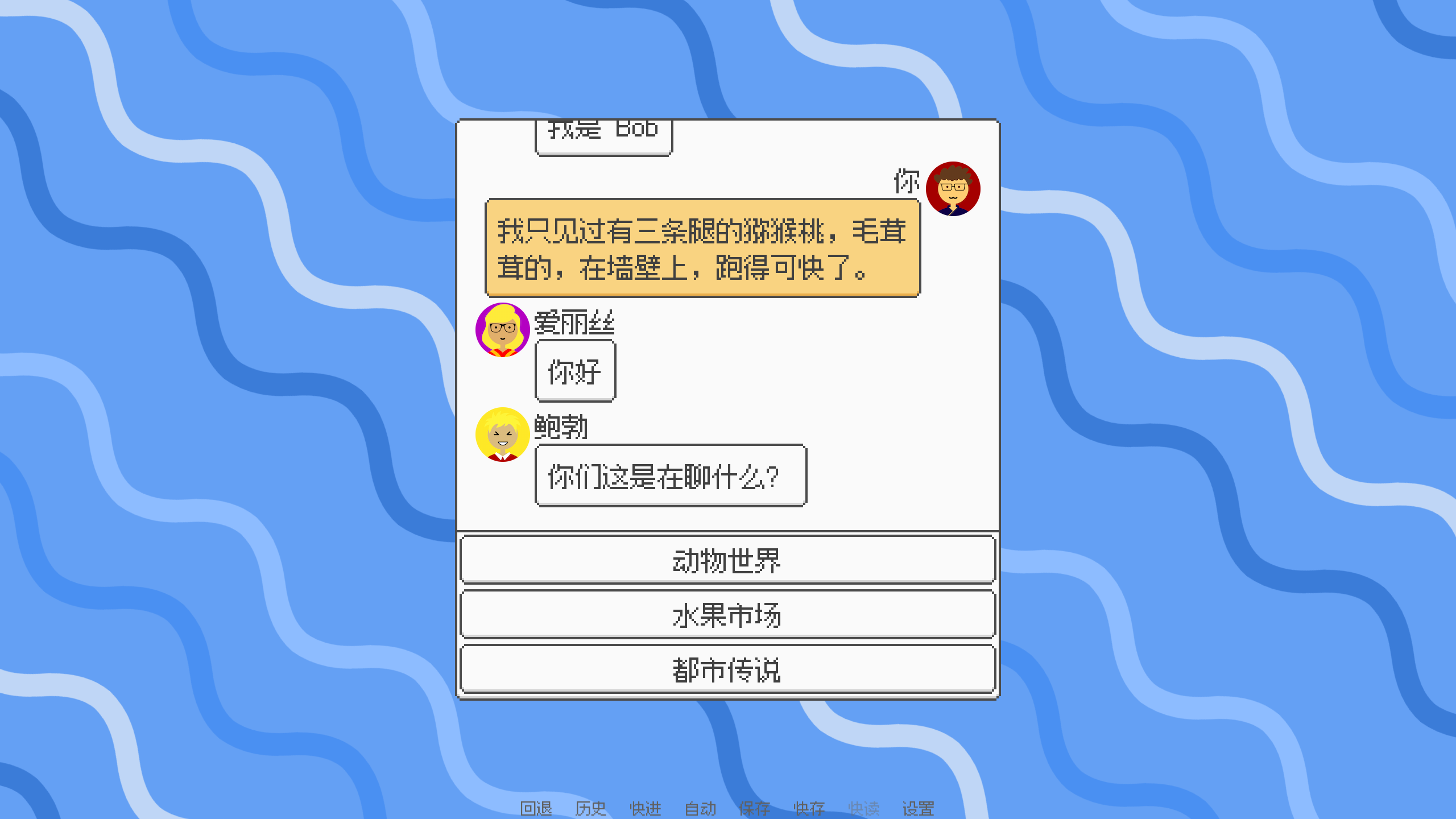
If you also want to show a menu at the bottom with an uncertain number of items and height, and the upper part shows chat history and can scroll — you can use a vbox but reverse the direction , putting the menu with uncertain height first, and the viewport that handles scrolling second, with yfill set to True.
Why Only Six Lines of Dialogue
define config.nvl_list_length = None
# game/screens.rpy
## This controls the maximum number of NVL-mode entries that can be displayed at
## once.
define config.nvl_list_length = gui.nvl_list_length

# game/gui.rpy
## The maximum number of NVL-mode entries Ren'Py will display. When more entries
## than this are to be show, the oldest entry will be removed.
define gui.nvl_list_length = 6
Supporting Multiple NVL Modes
NathanGuilhot/Renpy-simple-messaging-system-for-mobile-game
has a pretty nice approach — add a global variable to specify which nvl to use, then check it in screen nvl.